
What players say
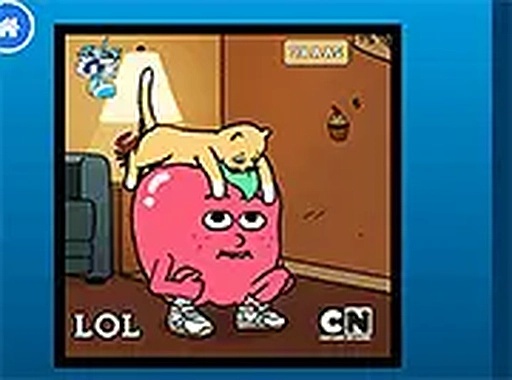
Fun Meme Creator Puzzle Game offers a refreshing break from timed challenges. Its drag-and-drop interface makes meme creation easy for all ages. The variety of stickers and backgrounds encourages endless creativity, and the lack of rules means pure, stress-free fun. Perfect for sharing laughs with friends and family.
About this game
Game Introduction
Fun Meme Creator Puzzle Game is a lighthearted online tool that lets players transform ordinary show scenes into humorous memes. The core objective is to combine pre-selected images with stickers, animated character GIFs, and witty text captions to create unique, shareable memes. What makes it unique is its focus on pure creative freedom without timers or complex rules, making it accessible for both children and adults. It provides a safe, ad-friendly environment for family fun, encouraging experimentation with different visual and textual elements to produce laugh-out-loud results.
How to Play
Players typically start by selecting an image from a panel of show scenes and fun backgrounds. Next, they add stickers and animated GIFs of characters or decorative items like rainbows, cats, lightning bolts, sunglasses, and hearts. After placing stickers, they type a clever text caption that matches the image and stickers. Each element can be moved and resized until the composition feels right. The interface is guided by clear icons and prompts, so no prior experience is needed. Once satisfied, the meme is ready to share or save.
Game Features
The game includes a fun image selection from various show scenes, a library of stickers and GIF options including characters and decorative items, and text customization with adjustable font and placement. It features easy sharing to save or send memes to friends, and a simple drag-and-drop interface suitable for all ages. The open-ended design ensures no two memes are alike, promoting endless creative combinations.
Tips for Success
To get the best results, experiment with different combinations of images, stickers, and text to see what gets the biggest laugh. Try to match the tone of your caption with the expression of the characters or the scene. Don't be afraid to resize and reposition elements for better visual balance. Since there are no timers, take your time to refine your meme. Sharing your creations with friends can also inspire new ideas and improve your meme-making skills.
Player comments
Sign in to comment
You must be logged in before posting a review or rating.
No account? Create one
No comments yet. Be the first to comment!