Wood Turning 3D Simulation
Reviews
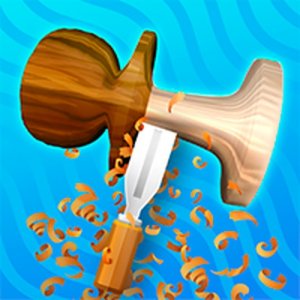
💡Wood Turning 3D offers a genuinely calming experience. The controls are simple, allowing anyone to start carving immediately. The lack of timers removes all pressure, making it ideal for stress relief. Each creation feels personal, and the ability to save work adds lasting value. It is a wonderful tool for creative expression and relaxation.
Description
Game Introduction
Wood Turning 3D is a calm online simulation where you shape virtual wood blocks into decorative pieces. The game offers a peaceful creative experience without violence or time limits. You start with a simple block and gradually carve away material to reveal patterns and shapes. The intuitive controls make it easy for anyone to begin crafting right away. As you progress, you can explore different styles and save your finished works. This game is designed to help you relax while expressing your creativity.
How to Play
To play, use your mouse or finger to touch the wood surface. Click or tap to start carving, then drag to remove material. Rotate the wood by dragging around it to reach all angles. The game provides preset patterns, but you can also carve freely. There are no timers or scores. Take your time to shape each piece exactly as you like. When finished, you can save your creation.
Game Features
Features include: Relaxing and family-friendly gameplay. Simple touch and mouse controls. Variety of carving patterns and tools. No time limits or pressure. Option to save and share your creations. Soothing visuals and sounds.
Tips for Success
Take your time to explore different carving tools and patterns. Start with simple shapes before attempting more complex designs. Rotate the wood frequently to ensure even carving from all angles. Save your work regularly to track your progress. Most importantly, enjoy the process without worrying about perfection.
Compatibility
Faq
Is Wood Turning 3D free to play?
Can I play Wood Turning 3D on mobile devices?
Does the game require an internet connection?
Are there any age restrictions for playing?
Can I share my creations with others?
What happens if I make a mistake while carving?
Games You Might Enjoy
Wood Turning 3D Simulation
Wood Turning 3D Simulation

Fly Car Stunt 4 Arcade Racing
Fly Car Stunt 4 Arcade Racing
Chair Push Battle Game
Chair Push Battle Game
Two Tubes 3D Arcade Game
Two Tubes 3D Arcade Game

Hyper Cars Ramp Crash Arcade
Hyper Cars Ramp Crash Arcade
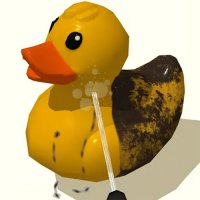
Power Wash 3D: Relaxing Cleaning Game
Power Wash 3D: Relaxing Cleaning Game

Two Ball 3D Arcade Runner
Two Ball 3D Arcade Runner

Fall Beans Puzzle Game
Fall Beans Puzzle Game

Astra Precision Fighter 3D - Arcade Aim Game
Astra Precision Fighter 3D - Arcade Aim Game