
What players say
Maritime Paint & Relax Online succeeds as a straightforward creative outlet. The boat illustrations offer enough variety to keep sessions interesting, from simple outlines for quick coloring to more detailed scenes for longer engagement. The undo feature removes the fear of mistakes, encouraging playful color experimentation. The absence of advertisements creates a focused environment rare in free online activities. For families seeking a quiet shared activity or individuals wanting a brief mental reset, this browser-based tool delivers exactly what it promises without unnecessary complexity.
About this game
Getting Started with Digital Coloring
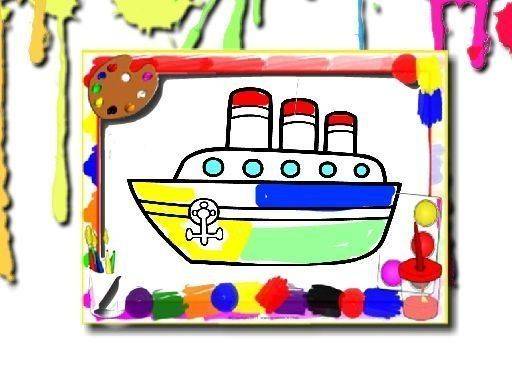
Maritime Paint & Relax Online opens with a gallery of boat illustrations waiting for your personal touch. Each image presents a different type of watercraft, from compact fishing boats to elegant sailing yachts. The interface keeps things straightforward: a selection screen shows thumbnails of available scenes, and one click loads your chosen canvas. No account creation, no loading screens, no barriers between you and the coloring experience.
Color Selection and Application
A palette of carefully chosen hues sits along the side of the screen. Click any color to activate it, then tap any section of the boat illustration to fill that area instantly. For finer control over smaller details, a brush size slider lets you adjust the coverage area. This system works well for both broad sections like hulls and narrow spaces like mast rigging. The responsive feedback means colors appear immediately, encouraging experimentation without delay.
Undo and Revision Tools
Mistakes happen naturally during creative work. A single undo button removes your last color application, letting you backtrack step by step. This feature removes pressure from the coloring process, allowing you to try different color combinations without permanent consequences. You can test a bright red hull, decide it does not fit, and revert to the previous state in one click. The tool supports multiple undo steps, so you can explore several variations before settling on a final look.
Saving and Sharing Your Work
Once you complete a coloring session, the game provides options to preserve your creation. A save function stores the finished image directly to your device, while a print option produces a physical copy. This flexibility means you can build a personal gallery of colored boats over time or share your artwork with family members. The saved images maintain the color quality you applied, making them suitable for framing or posting on social media.
Browser-Based Accessibility
Maritime Paint & Relax Online runs entirely within your web browser with no additional software required. The game loads quickly and works across desktop computers, tablets, and smartphones. Touchscreen users can tap colors and sections directly, while mouse users click normally. This cross-platform compatibility means the activity travels with you, whether you are at home on a laptop or waiting somewhere with a phone in hand.




Player comments
Sign in to comment
You must be logged in before posting a review or rating.
No account? Create one
No comments yet. Be the first to comment!