
What players say
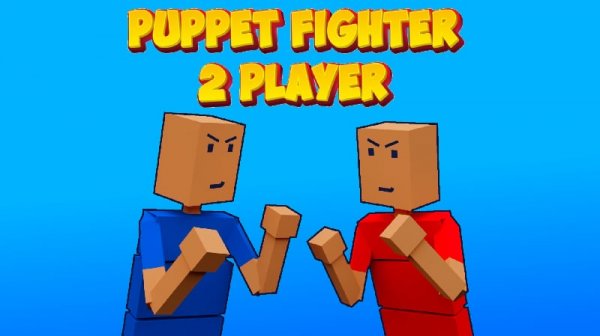
Puppet Duel 2 Player Party delivers exactly what it promises: fast, humorous local multiplayer action. The ragdoll physics create unpredictable moments that keep each match fresh. With a variety of mini-games like Tag and Dodgeball, there is enough variety to avoid boredom. The simple controls make it accessible for all ages, and the option to practice against bots is a nice touch. It is a great choice for casual gaming with a friend.
About this game
Game Introduction
Puppet Duel 2 Player Party is a local multiplayer game designed for two players to enjoy fast-paced, humorous competition. The game uses ragdoll physics and simple graphics to create unpredictable and entertaining moments. Players engage in a variety of mini-games, each with a distinct objective such as pushing opponents out of an arena, tagging a friend, or dodging balls. The core appeal lies in its simple yet chaotic gameplay, making it ideal for quick sessions or extended play with a friend. The game supports both web browsers and Android devices, offering flexibility in how you play.
How to Play
Two players compete locally using simple controls. Player 1 typically uses the WASD keys to move and the F key to perform actions, while Player 2 uses the arrow keys to move and the L key to act. Each mini-game has a specific goal: in Punchers, push your opponent out of the arena; in Tag, run and tag your friend; in Dodgeball, grab and throw the ball; in Shovel Hit, ride a car and hit with a shovel; in Traps, push into traps; in Ticktack, hit when the shield is down; in Jet Legs, blow up the opponent's jet. Players can also practice against computer-controlled bots.
Game Features
Features include a variety of unique mini-games, the ability to play with a friend or against bots, ragdoll physics that add humor and unpredictability, one-finger joystick controls for mobile devices, and minimalistic graphics that keep the focus on gameplay. The game is designed for quick, fun sessions and supports both web browsers and Android devices.
Tips for Success
To succeed in Puppet Duel 2 Player Party, practice each mini-game to understand its unique mechanics. Learn the timing of actions like throwing or dodging, and pay attention to your opponent's movements to anticipate their next move. Use the environment to your advantage, such as pushing enemies into traps or using shields effectively. Regular practice against bots can help improve your reaction time and strategy.



Player comments
Sign in to comment
You must be logged in before posting a review or rating.
No account? Create one
No comments yet. Be the first to comment!