Grand Prix Racer Arcade Racing
Reviews
💡Grand Prix Racer is an enjoyable free online arcade racing game that delivers straightforward fun. The selection of cars and tracks provides good variety, and the nitro boost mechanic adds a welcome strategic element. Controls are responsive and easy to learn, making it accessible for casual players while still offering depth for racing fans. The browser-based play with no downloads is a major convenience.
Description
Game Introduction
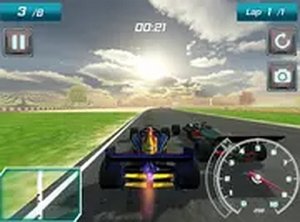
Grand Prix Racer is a free online arcade racing game that places you behind the wheel of high-performance Formula 1 style cars. The game offers a selection of modern racers, each with its own handling characteristics, allowing you to choose a vehicle that matches your driving preferences. Multiple tracks are available, each with different layouts and challenges that test your racing abilities. The primary objective is to complete laps as quickly as possible and improve your personal best times. Opponents on the track provide a competitive push, encouraging you to refine your skills with each race. A nitro boost feature adds a strategic layer, enabling you to accelerate at key moments to gain an advantage. The game runs smoothly in your browser and supports full screen mode for an immersive experience. No downloads or installations are required, making it easy to start playing instantly. Whether you are a casual player or a racing enthusiast, Grand Prix Racer delivers exciting arcade action that captures the thrill of high-speed racing.
How to Play
To play Grand Prix Racer, start by selecting your preferred car from the available options. Each car has its own speed and handling stats, so choose one that fits your racing style. Next, pick a track to race on. Use your keyboard to steer your car left, right, forward, and backward. Press a designated key to activate nitro boosts for a temporary speed increase. Your goal is to complete laps as quickly as possible and beat your personal best times. The game runs directly in your browser and supports full screen mode for a more immersive experience. Practice on each track to learn the best racing lines and when to use your nitro boost. With simple controls and clear feedback, you can jump into the action within seconds.
Game Features
Grand Prix Racer is free to play online with no hidden costs. It offers multiple cars and tracks, providing variety and replay value. Nitro boost mechanics add a strategic element to races. Full screen mode enhances the visual experience. Keyboard controls are responsive and easy to learn. The game runs in any modern browser without plugins or downloads.
Tips for Success
Practice on each track to learn the best racing lines and when to use your nitro boost. Choose a car that matches your driving style, as handling differences can affect your lap times. Focus on smooth steering and consistent braking to maintain speed through corners.
Compatibility
Faq
Is Grand Prix Racer free to play?
Can I play Grand Prix Racer on my mobile device?
How many tracks are available in Grand Prix Racer?
Do I need to create an account to play Grand Prix Racer?
What happens if I crash into walls or other cars in Grand Prix Racer?
Can I change the controls in Grand Prix Racer?
Games You Might Enjoy

Sumo Challenge 2021 Sports Game
Sumo Challenge 2021 Sports Game

Monster Truck Derby Sports Game
Monster Truck Derby Sports Game

Precision Kick Sports Game
Precision Kick Sports Game
Air Hockey 3D Sports
Air Hockey 3D Sports

American Football Arcade Dash
American Football Arcade Dash
Ping Pong Tournament Challenge
Ping Pong Tournament Challenge

Nickelodeon Basketball Arcade
Nickelodeon Basketball Arcade

Soccer Arcade Sports Game
Soccer Arcade Sports Game

Athlete Dash Arcade Sports Runner
Athlete Dash Arcade Sports Runner