
What players say
Kogama Forest Parkour Adventure offers a calm yet engaging experience with its creative forest courses. The controls are intuitive, and the levels provide a satisfying challenge without being overly difficult. The free browser-based design makes it accessible to everyone, and the colorful visuals create a pleasant atmosphere. It is a great choice for players seeking a low-pressure platform game.
About this game
Game Introduction
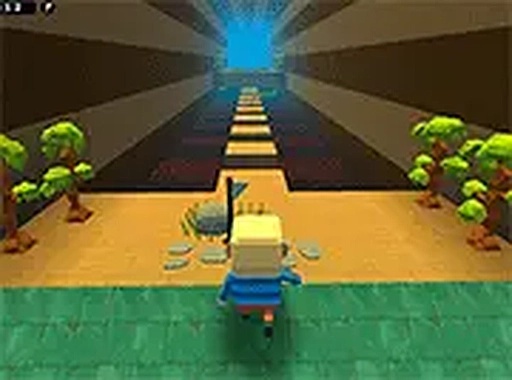
Kogama Forest Parkour Adventure is a browser-based game set in a lively forest environment. Players guide a character through a series of parkour courses, leaping across platforms and avoiding obstacles to reach the end of each level. The forest theme offers a calm and colorful backdrop, with creative level designs that test timing and precision. This game is designed for players of all ages and provides a relaxing yet engaging experience. The core objective is to complete each course by skillfully moving through the environment without falling. It is free to play and requires no downloads or payments, making it accessible to anyone with a modern web browser and a keyboard.
How to Play
Players control their character using the keyboard. Movement is typically handled with the arrow keys or WASD keys, allowing you to move left, right, forward, and backward. Jumping is performed with the spacebar, which is essential for clearing gaps, climbing onto platforms, and avoiding obstacles. Each level presents a series of challenges, such as moving platforms, narrow paths, and tricky jumps. If you fall, you can restart the level and try again. The game is best played on a desktop computer with a keyboard, and it supports full screen mode for a more immersive view. There are no complex rules—simply reach the end of each course to progress.
Game Features
This game features a 3D forest parkour environment with colorful visuals and creative level designs. It is free to play and runs directly in your browser without any downloads or installations. Full screen mode is available to enhance focus and immersion. The game is desktop friendly and works in most modern browsers. The controls are simple and intuitive, making it easy for players of all skill levels to pick up and play. The forest setting provides a calm atmosphere, and the levels are designed to offer a satisfying challenge that tests your timing and patience.
Tips for Success
Practice your timing and patience, as many obstacles require precise jumps. Take a moment to study each level before moving, especially when encountering moving platforms or narrow paths. If you fall, don't get discouraged—use the restart option to try again and learn from your mistakes. Playing in full screen mode can help you see the entire course more clearly. Focus on maintaining a steady rhythm and avoid rushing, as haste often leads to mistakes. With consistent practice, you will improve your skills and complete even the most challenging courses.







Player comments
Sign in to comment
You must be logged in before posting a review or rating.
No account? Create one
No comments yet. Be the first to comment!