
What players say
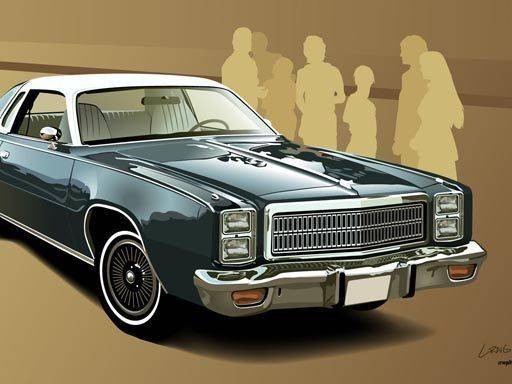
Classic Auto Jigsaw Challenge stands out for its clean presentation and flexible difficulty. The six vehicle images are thoughtfully illustrated, capturing the essence of vintage design without being overly detailed. The option to choose between 16, 36, 64, or 100 pieces means the same picture can be a quick diversion or a longer project. The absence of timers and penalties removes stress, allowing players to focus on pattern recognition and placement. This is a solid choice for anyone seeking a quiet, screen-based puzzle activity that respects their pace and schedule.
About this game
Assembling Automotive History
Each puzzle in this collection features a distinct image of a classic vehicle, from elegant sedans to rugged work trucks. The artwork captures the design details and character of these older machines, giving each completed puzzle a sense of discovery. Players select from six different scenes, each offering a fresh visual theme to explore.
Flexible Challenge Levels
The game provides several difficulty settings by varying the number of puzzle pieces. Beginners can start with a 16-piece layout to learn the interface, while more experienced players may choose 36, 64, or 100 pieces for a longer session. This range allows the same image to feel different each time, depending on the chosen piece count.
Controls and Pace
All interactions use a straightforward drag-and-drop method. Pieces can be moved freely around the screen, and a preview of the completed image is always visible for reference. There are no timers, score penalties, or pressure to finish quickly. Players can step away and return later without losing progress, making the game suitable for short breaks or extended relaxation.
Visual Style and Atmosphere
The illustrations emphasize the shapes and colors of classic vehicles, with a clean, uncluttered presentation. The background is neutral, keeping attention on the puzzle itself. This design choice supports a calm, focused activity that combines light mental exercise with appreciation for automotive design.
Family-Friendly Design
The content is appropriate for all ages, with no violent or complex themes. The simple mechanics mean that children and adults can play together, sharing the experience of completing each image. The lack of competitive elements encourages cooperative problem-solving and conversation.







Player comments
Sign in to comment
You must be logged in before posting a review or rating.
No account? Create one
No comments yet. Be the first to comment!