Flying Car Racing Simulator

Reviews
💡Ultimate Flying Car Simulator offers a unique blend of driving and flying in a colorful city. The controls are responsive, and the boost mechanic adds speed. Playing with a friend in 2-player mode is engaging. Unlocking new cars provides motivation to keep racing. The game is family-friendly and easy to pick up. It has good replay value for short sessions.
Description
Game Introduction
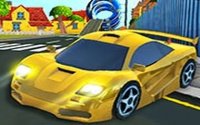
Ultimate Flying Car Simulator Online Arcade Game is an action-packed browser game that combines driving and flying in a single vehicle. Set in a detailed city environment, players control a car that can travel on roads and soar through the air. The core objective is to explore the open world, perform stunts, and compete in races to unlock new flying cars. This game stands out by blending ground and aerial gameplay, offering a fresh experience for fans of driving and flying games alike.
How to Play
Players choose between solo exploration or two-player split-screen racing. In single-player mode, you freely drive and fly around the city. In two-player mode, you race head-to-head against a friend. Controls typically involve keyboard keys for movement, acceleration, and special actions like boosting or using a handbrake. The goal is to navigate the city, use boosts strategically, and win races to progress. Simple controls make it easy to pick up, while mastering aerial maneuvers adds depth.
Game Features
Key features include flying cars that seamlessly switch between ground and air travel. An open city environment allows for free exploration and stunt opportunities. The game offers both single-player and two-player split-screen modes, enabling cooperative or competitive play. A vehicle unlock system rewards players for winning races, providing new cars to use. Realistic controls include boost, look back, and car fix options, plus a handbrake for sharp turns.
Tips for Success
Practice switching between driving and flying to maintain speed and avoid obstacles. Use boosts at the right moments, such as on straightaways or when taking off, to gain an advantage. Learn the city layout to find shortcuts and optimal routes. In two-player mode, communicate with your opponent for fair play. Regularly fix your car position if it gets stuck, and use the handbrake to navigate tight corners effectively.
Compatibility
Faq
Is the game free to play?
Can I play on mobile devices?
What happens if my car crashes or flips over?
Are there different types of flying cars to unlock?
Does the game have any age restrictions?
How do I switch between driving and flying?
Games You Might Enjoy

Puppet Fighter 2 Player Action
Puppet Fighter 2 Player Action

Haunted School Survival Horror
Haunted School Survival Horror

Oil Wrestling Arcade Game
Oil Wrestling Arcade Game
Catch a Fish Obby Arcade
Catch a Fish Obby Arcade

Muscle Rush Arcade Runner
Muscle Rush Arcade Runner
Funny Mad Racing Arcade Game
Funny Mad Racing Arcade Game

Two Bike Stunts Arcade Game
Two Bike Stunts Arcade Game

Fish Grow Big Arcade Game
Fish Grow Big Arcade Game

Two Ball 3D Arcade Runner
Two Ball 3D Arcade Runner